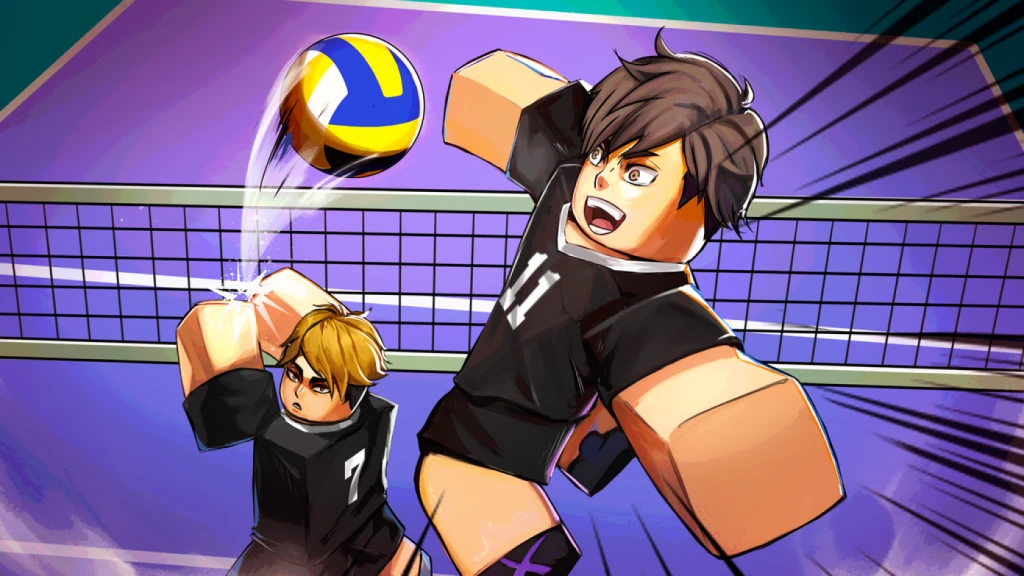
Volleyball Legends Keybinds: Master Pro Controls & Gameplay
Discover the best Volleyball Legends keybinds and advanced control tips to dominate the court. Learn how to optimize your setup for pro-level performance.
Published:
Video Guide
How To Change Keybinds and Controls in Volleyball LegendsTable of Contents
Winning in Volleyball Legends is rarely about brute force; it is about precision, timing, and having the right volleyball legends keybinds at your fingertips. If you’ve ever felt like your reaction time was lagging behind the ball, your current control setup is likely the culprit.
Optimizing your volleyball legends keybinds allows you to execute complex movements like spiking, setting, and receiving with consistent mechanical accuracy. In this guide, we break down everything you need to know about setting up your controls to move from a beginner to an Ultimate Champion.
Why Custom Keybinds Are Essential for VBL Success
In a fast-paced environment like Volleyball Legends, the difference between a point and a fault is measured in milliseconds. Standard default settings often force players to stretch across the keyboard, leading to "fat-fingered" mistakes during high-stakes serves or spikes.
By customizing your layout, you can keep your fingers in a "ready state," ensuring that whether you need to dive for a receive or initiate a quick set, your command is registered instantly. Experienced players often map their most frequent actions—such as spiking or locking the camera—to keys that allow them to maintain full mobility with WASD.
Action
Why Remap?
Recommended Setup
Spike
Requires instant reaction
Easily accessible key (e.g., F or Side Mouse)
Set
Requires precision timing
Near your movement hand
Shift Lock
Essential for hiding direction
Toggle key for quick access
Dive/Receive
Needs immediate execution
Spacebar or thumb-accessible button
The Role of Advanced Mode and Fine-Tuning
One of the most overlooked features in the game is "Advanced Mode." As noted in various community discussions, enabling Advanced Mode is a game-changer for those looking to manipulate the tempo of the game.
When Advanced Mode is active, holding specific keys allows you to adjust the power of your setting and receiving. This creates a psychological element in the game—you can "fake" a high-power spike or perform a subtle dump that catches opponents off guard.
How to Master Advanced Controls
Enable Advanced Mode: Access this through the main settings or the pre-match team lobby.
Tempo Control: Use the down-directional input to soften your touches when you need to keep the ball within the front court.
The "Look" Technique: When setting, focus your camera toward your spiker rather than trying to track the enemy. This reduces the mechanical complexity of the action.
Practice with a Friend
Never test your new custom keybinds in a competitive match for the first time. Head to the practice mode with a teammate to refine your muscle memory for your new layout.
Mastering Movement and Camera Locking
A common technique among high-tier players is "Shift Locking." By locking your camera to a specific direction before you jump, you effectively hide your true attack trajectory. This keeps your opponents guessing until the very last frame of your jump animation.
If you are a PC player, integrating your mouse buttons into your volleyball legends keybinds is highly recommended. Many pros use the side mouse buttons (X-buttons) to toggle camera locks, keeping their left hand free for movement.
Common Movement Mistakes
Gliding: Many beginners attempt to glide during a spike attempt, which often leads to hitting the ball out of bounds or too low. Keep your movement grounded until the optimal jump point.
Bad Positioning: If you have a slow character, don't waste time in the back row. Stay near the net where your defensive impact is greatest.
Ignoring Ping: If your ping is consistently above 100ms, your keybinds won't save you. Consider using a network optimization tool like GearUP Booster to stabilize your connection.
Advanced Macros and Hotkeys
While some players prefer pure manual control, others experiment with macros to streamline repetitive tasks like serving. A popular macro configuration involves setting a reload key to quickly reset your script during a match.
Note: While macros can assist with consistency, they should never replace the fundamental understanding of player positioning and game sense.
Automated Serve Workflow Example
If you decide to set up a sequence for serving, the logic typically follows these steps:
Trigger: Pressing a designated hotkey (e.g., Num 2).
Action: Perform a vertical jump and move to the target coordinate.
Wait: A small delay (10-30ms) to ensure the server registers the input correctly.
Execution: The spike command is triggered the moment the serve bar enters the "perfect" zone.
Key Differences: Mobile vs. PC Controls
The debate over which platform is superior continues, but both have unique advantages. Mobile players can utilize custom HUDs to perform complex combos, while PC users have the advantage of precise camera movement through mouse DPI settings.
Feature
PC Experience
Mobile Experience
Precision
High (Mouse Aim)
Moderate (Touch Targets)
Setup Time
Quick (Keyboard)
Lengthy (HUD Layout)
Combo Input
Easy (Macros/Hotkeys)
Multi-finger taps required
Shift Lock
Simple (Dedicated Key)
Requires HUD placement
Frequently Asked Questions (FAQ)
What are the best volleyball legends keybinds for beginners?
Start with the default settings but map your 'Spike' and 'Set' buttons to keys that feel natural under your fingers, like 'F' and 'G'. The goal is to avoid moving your movement hand from the WASD cluster.
Does changing my keybinds improve my rank?
Indirectly, yes. By optimizing your controls, you reduce your reaction time and improve your accuracy, which leads to fewer errors and more winning plays.
How do I use the advanced mode for better setting?
Enabling Advanced Mode allows you to hold keys to control the power and tempo of the ball. This is essential for baiting opponents and executing the perfect set for your spiker.
Can I use macros for my keybinds?
Some players use macros for consistent serves, but be careful. Always ensure your scripts comply with the game's Terms of Service. It is often better to train your muscle memory to perform these actions manually for long-term consistency.